
If the camera or microphone is not enabled when using the Chrome browser in Windows or MacOS, try the following:
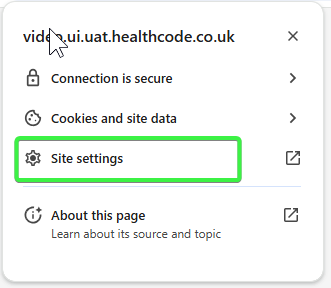
Click the “settings” icon to the left of the website address

Then click “Site settings“
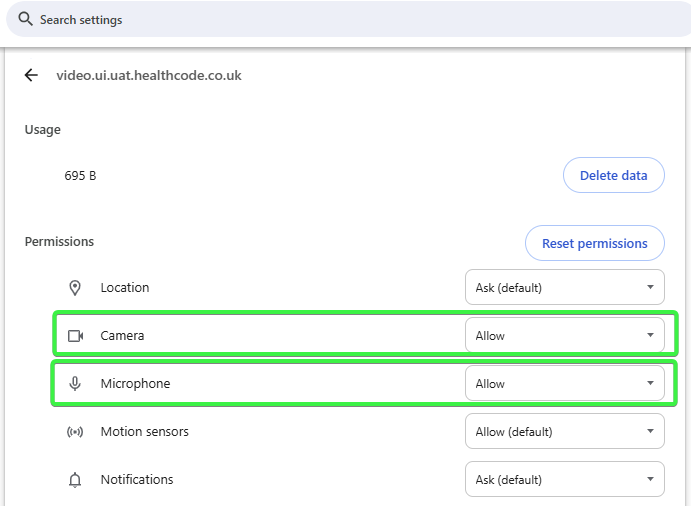
In the settings window, ensure that both “Camera” and “Microphone” are set to “Allow”. If not, click on the drop-down option next to each and select “Allow”.
Next, close the settings tab and reload the video consultation page.
