

If the camera or microphone is not enabled when using the Opera browser in Windows, try the following:
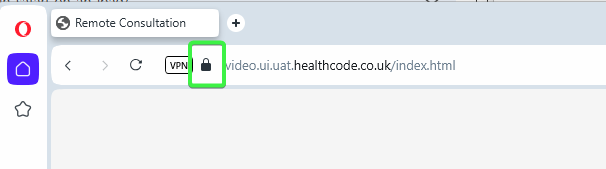
Click the padlock icon to the left of the website address.
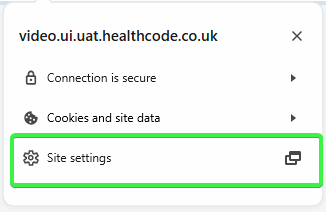
Click “Site settings“.
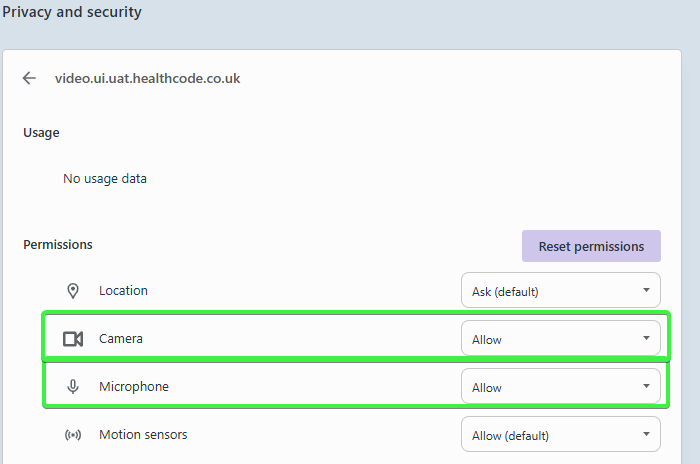
From the “Privacy and security” screen, ensure that “Camera” and “Microphone” are both set to “Allow”. If not, click on them and select “Allow” from the options.
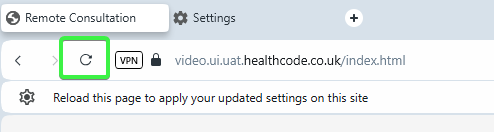
Click back into the video consultation tab, then click the “Reload” button.
Opera will now be ready to allow video consultations.