
If the camera or microphone is not enabled when using the Safari browser on a Mac, try the following:
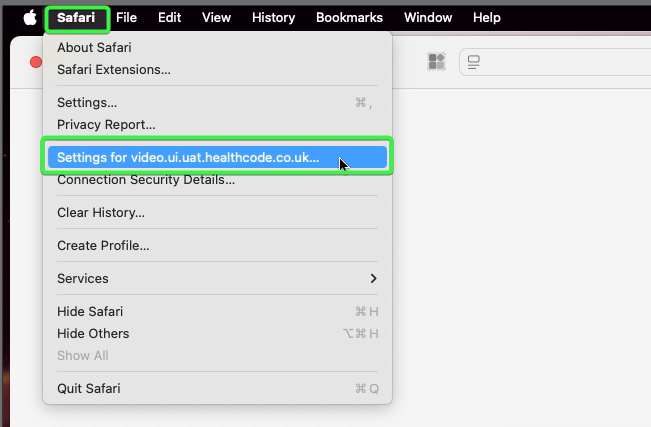
On the video consultation tab, click on the “Safari” menu in the top left corner of the screen, then click “Settings for video.healthcode.co.uk“
In the list of settings, ensure that both “Camera” and “Microphone” are set to “Allow“. If not, click on the option to change them to “Allow”.
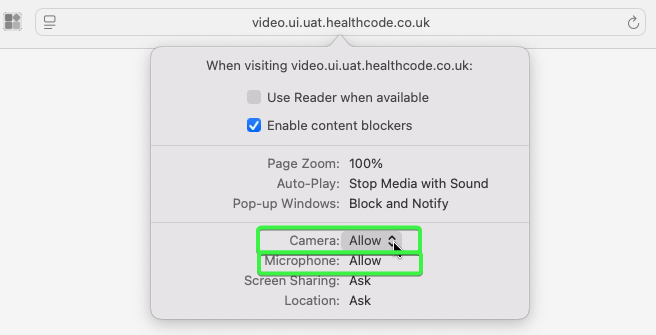
Once both “Camera” and “Microphone” show as “Allow”, click anywhere outside of the settings window so that it disappears.
Lastly, click the “reload this page” icon (circular arrow) to the right of the website address.
